Monday, October 18, 2010

Some Interesting New Views of the Moon

It's amazing what a little color can do to communicate information.


This is a color-coded topographic map of the far side of the moon. Since the Moon has no air or water, and hence no "sea level", zero altitude is set at the Moon's mean (average) radius, of just over a thousand miles. Altitudes below that use bluer tones, suggestive of oceanic regions on the Earth, and altitudes above that green and redder tones, suggestive of land regions on the Earth (areas shown in gray have no reliable altitude data). As the result, the lunar maria, once thought to be oceans, are shown as though they were oceans, while the lunar terrae, once thought to be highlands, are shown as though they were continents.

Follow this link for more maps and descriptions.


Share/Save/Bookmark

Tuesday, September 28, 2010

Plotting Large Image Files

I recently received a 100 MB raster image file from a client, and needed to use it as a background image in a bathymetric map of a reservoir. The image was a very high resolution TIFF file, depicting the bottom of the reservoir in great detail, which the client needed to see in his maps. It looked great in model space, on the layout tab, and even showed up in a plot preview, but when I tried to plot it to a PDF, the image was absent from the final plot.


Obviously, when plotting a lot of software and hardware variables come into play. I found a couple of solutions that helped in my situations; perhaps they will help you in similar situations.

For the complete tutorial, (and many others) follow this link...


Share/Save/Bookmark

Tuesday, September 21, 2010

Maps on Clothing

Everyone who knows me knows that I am a map nerd. I surround myself with maps, even on everyday objects. The coffee cup I've used for over 23 years sports a map of the London Underground, and my favorite shirt features coastline patterns from nautical maps.

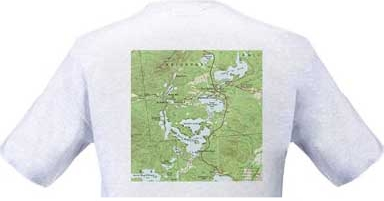
I thought I would list a few other sources for maps on clothing, starting with my friend Autumn's TopoTees; skillfully printed T-shirts featuring images of some of the lakes in the Adirondacks from vintage USGS quadrangles. If you order one, please tell them: "Russell sent me!"


There are many different sources for maps on clothing. You can also get maps on shoes, jackets, even boxer shorts, but the TopoTees are more my style...

Please send me links to your favorite items featuring maps.


Share/Save/Bookmark

Wednesday, August 18, 2010

A Better Way to Join Polylines

We’ve all been there. It’s crunch time and you encounter hundreds or maybe thousands of individual line segments that should be continuous polylines. The end points are snapped together, but when you try to select them or perform some analysis on them, you get individual lines, or lots of unconnected polylines.

There is a much better, though often overlooked alternative to the Polyline Edit > Join command, in the Drawing Cleanup suite of tools, called Dissolve Pseudo Nodes.

For the complete tutorial, (and many others) follow this link...

Share/Save/Bookmark

Wednesday, June 30, 2010

Defining Scale Ranges in the FDO Style Editor

When stylizing Feature Data Objects in Map 3D, there is a powerful setting that many users overlook: Scale Ranges.

One example of how this setting can benefit you is using it to cause a very detailed set of features, such as a street map or a soils map, to only display when that level of detail is useful, and cause it to be invisible when zoomed out to where it would just be a blur of detail.

For the complete tutorial, (and many others) follow this link...


Share/Save/Bookmark

Sunday, December 6, 2009

Vexed by 3D polylines in Map 3D?

An interesting question came up during the class I taught at Autodesk University last week:

"At what elevation will all of the vertices end up when you convert a 3D polyline to a regular polyline, using the
Drawing Cleanup tools?"

The answer is that all of the vertices will be moved to the Z-value of the FIRST vertex of the 3D polyline. For example, if you start with a 3D polyline that was drawn from "10,10,10" to "20,20,20", and then use the Map 3D Drawing Cleanup tools to convert that object to a regular (flat) polyline, then all of the vertices will end up at elevation 10.

For the complete tutorial, (and many others) follow this link...


Share/Save/Bookmark

Thursday, November 19, 2009

DRAGGING to Copy and Move Objects Quickly

For quick repositioning of objects “by eye”, selecting them first and dragging them can be a lot faster than issuing the command first. This is a particularly good technique for last minute repositioning of text labels on a map, once all of the other elements are in place, where absolute precision is less important than fast editing.

For the complete tutorial, (and many others) follow this link...


Share/Save/Bookmark